
Change Your Profile Picture or Information
Your image can be up to 4000kB in the following formats: JPG, JPEG, PNG.
How to change your picture:
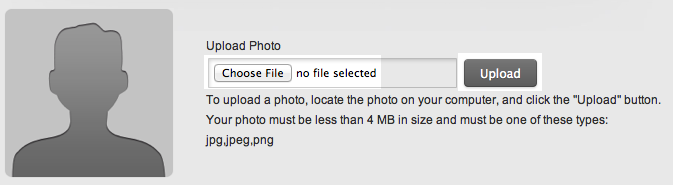 Figure 2:
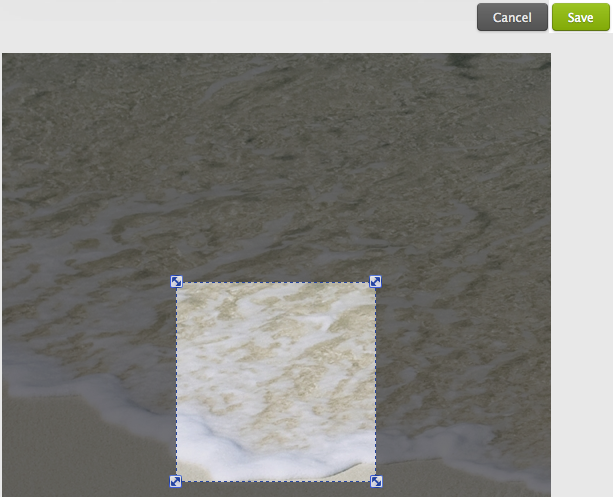 Figure 3:
How to change your picture:
- Log in to www.andreoulaser.com and click on your account profile page. Then click 'Edit Photo'.
- Locate the photo on your computer, and click the "Upload" button. Wait until it's done. (figure 1)
- When the upload is finished you can edit your photo. Click 'Save' when you are done. (figure 2)
- Log in to www.andreoulaser.com and click on your account profile page.
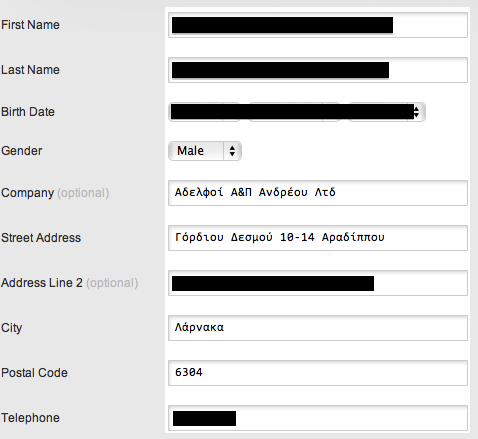
- Change the information in the fields. Then click 'Save'. Your change is now complete! (figure 3)